NotebookLM: Your AI-Powered Study Partner for VCE
# Introduction: The VCE Information Overload
Every VCE student knows the feeling: binders overflowing with notes, textbook chapters that stretch on forever, and a dozen different documents for just one topic. The biggest challenge isn’t just learning the material, but organising and making sense of it all, especially when exam season hits. What if you had an intelligent assistant that could read all your notes for you and help you understand them?
That’s the promise of Google’s NotebookLM. Forget generic AI that scours the whole internet. This is a focused tool designed to become an expert in your course material. Let’s explore how it can become your ultimate study partner.
# What is NotebookLM?
NotebookLM is an AI-powered research assistant from Google that works exclusively with the sources you provide. Think of it like a personal tutor you can upload your class materials to. You can add:
- PDFs of textbook chapters or practice exams
- Your own typed-up Google Docs notes
- Scans of your handwritten notes (after converting them to a PDF)
- Links to relevant websites or online articles
The AI, powered by Google’s Gemini model, then uses only this information to answer your questions, create summaries, and build study tools. This is its superpower: it’s “source-grounded,” meaning its answers are directly tied to your course content, complete with citations. No more weird, irrelevant information from the web—just focused, accurate help based on what you actually need to know.
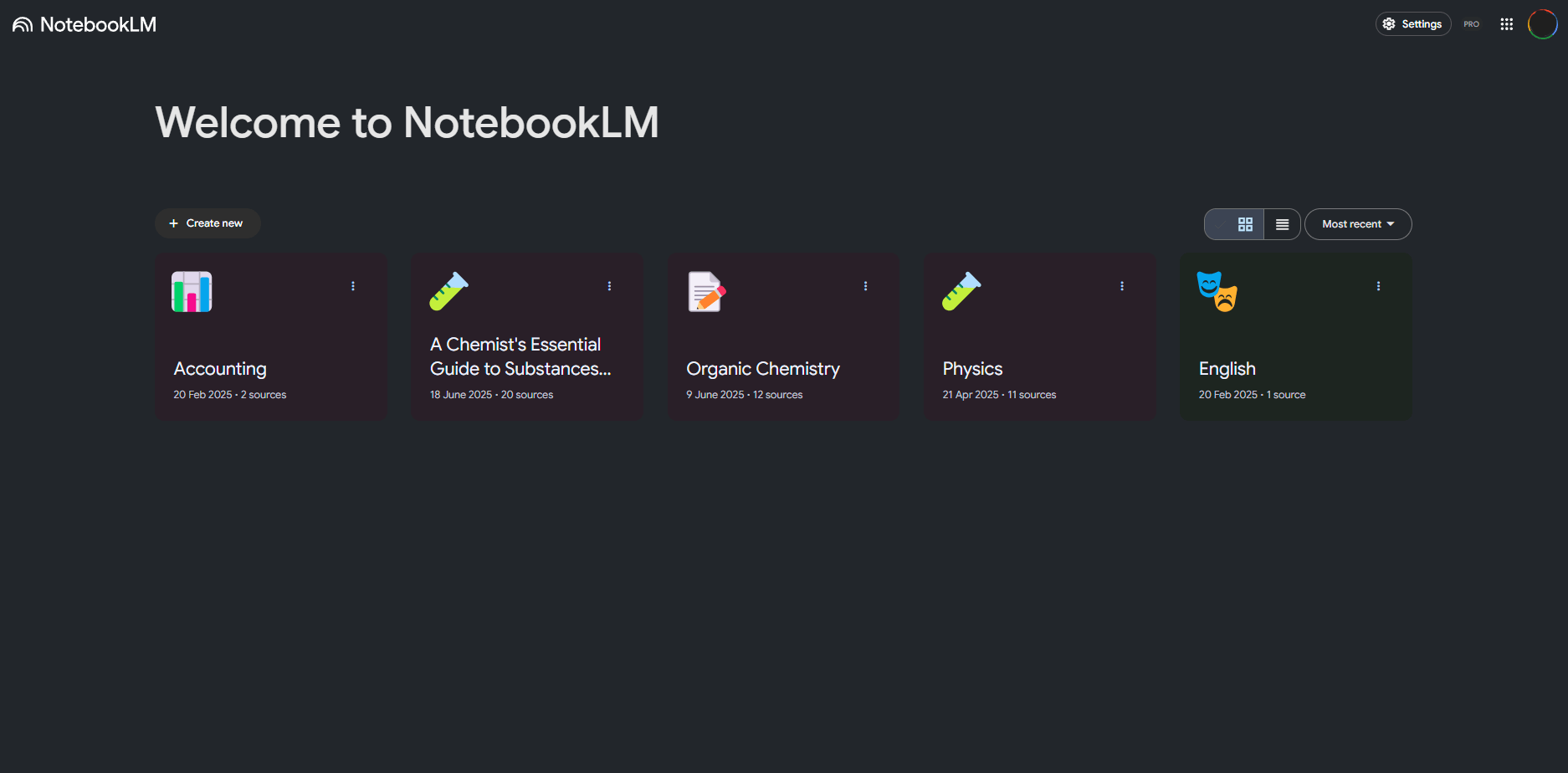
# A Student’s Toolkit: The Key Features in Depth
NotebookLM is packed with features that are incredibly useful for students. Let’s break down the most powerful ones.
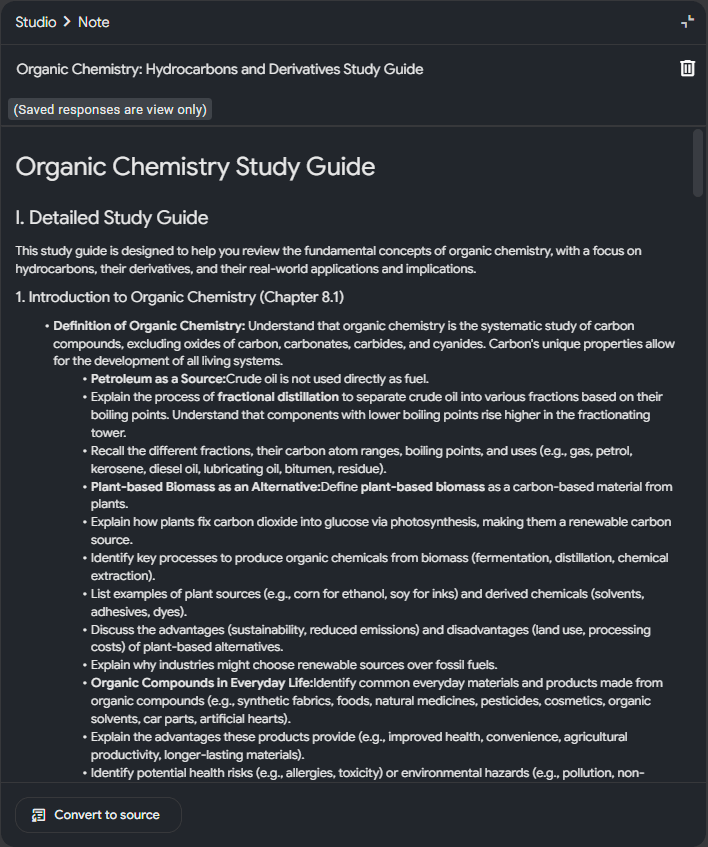
- Study Guide: This is a game-changer. NotebookLM reads all your uploaded sources and automatically generates a structured study guide, complete with key terms, core concepts, and even practice questions to test your understanding.
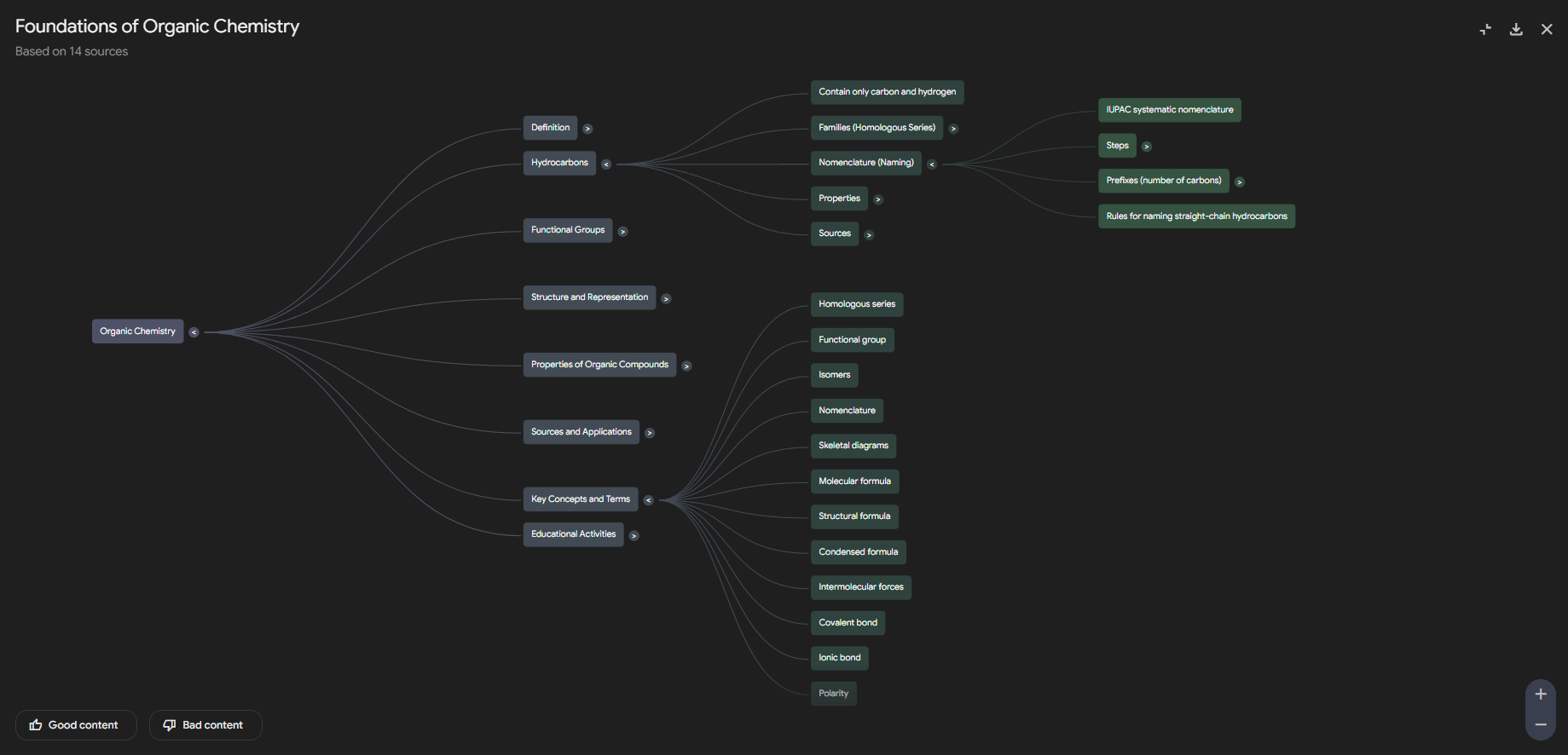
- Mind Map: For visual learners, this feature is fantastic. It creates a visual web that shows the connections between different ideas in your topic, helping you see the bigger picture and how concepts relate to one another.
- Audio Overview: Turn your study notes into a podcast. NotebookLM generates a conversational audio summary of your material. It’s perfect for revision while you’re on the bus, walking the dog, or just giving your eyes a break from the screen.
- Briefing Doc: Need the tl;dr of a long chapter? The Briefing Doc provides a concise, high-level summary of all your sources, giving you the main points in a flash. It’s ideal for a quick recap before a class or starting a study session.
- Interactive Q&A (Your Personal Tutor): This is the core of NotebookLM. You can chat with your sources in a conversational way. Start with a simple question, then use the “deep dive” conversation to ask follow-ups, request examples, or have it explain a concept in a different way until you get it.
- Insight Discovery: While NotebookLM doesn’t find new sources from the internet, it’s brilliant at helping you discover insights and connections within your existing material that you might have missed. By asking it to compare and contrast ideas across different documents, you can uncover relationships that aren’t obvious at first glance.
# My Experience: Building a VCE Chemistry Study Hub
To put it to the test, I decided to build a sample notebook for a VCE Chemistry topic: Organic Chemistry.
- The Goal: Turn a messy folder of notes, textbook pages, and lab reports into a coherent and interactive study hub for exam revision.
- The Process:
- Sourcing Up: I created a new notebook and uploaded three documents: a 20-page PDF of a textbook chapter on alkanes and alkenes, a Google Doc with my own typed lecture notes, and a PDF of a past lab report on esterification.
- First-Pass with the Study Guide: The first thing I did was click “Study Guide.” In about a minute, NotebookLM generated a structured document. It pulled out key vocabulary like “homologous series” and “functional group,” summarized the main reaction pathways, and even created a few “test your knowledge” questions based on the content. This alone was incredibly valuable.
- Visualising with a Mind Map: I then used the “Mind Map” feature. It created a branching diagram with “Organic Chemistry” at the centre, with nodes for “Hydrocarbons,” “Alcohols,” and “Esters.” It visually linked “alkenes” to “addition reactions,” which was a great way to reinforce that connection.
- Deep Dive Q&A: This is where it got really powerful. I started asking specific questions that spanned my documents:
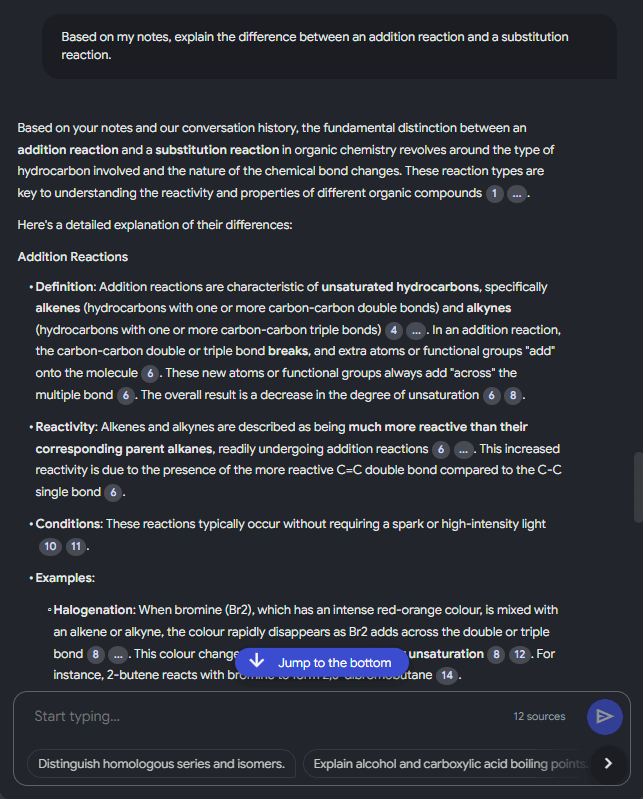
- My first question: “Based on my notes, explain the difference between an addition reaction and a substitution reaction.” It gave me a clear answer, citing both my lecture notes and the textbook.
- My follow-up: “You mentioned esterification. Using the lab report I uploaded, what were the reactants and conditions for that experiment?” It correctly pulled the exact details from my lab report PDF. It felt like magic.
- On-the-Go Revision: Finally, I generated an “Audio Overview.” I got a 10-minute conversational summary of the key concepts of the entire topic. I could see myself listening to this on my phone on the way to school for a quick refresher.
What started as a collection of separate files became a single, intelligent, and interactive study resource.
# Pros and Cons for Students
Pros:
- Turns Chaos into Order: It excels at taking disparate notes and creating structured, usable study materials.
- Active Recall and Self-Testing: The generated questions in the Study Guide feature are perfect for practicing active recall.
- Caters to Different Learning Styles: Supports text-based, visual (Mind Map), and auditory (Audio Overview) learners.
- Saves Huge Amounts of Time: Automates the tedious process of summarizing and creating study notes, freeing you up to focus on understanding.
- Builds Confidence: Being able to verify every answer with a click on a citation means you can trust the information is coming directly from your course material.
Cons:
- It’s a Tool, Not a Replacement for Work: You still have to do the learning. If you don’t engage with the material and just passively read the summaries, it won’t be as effective.
- Dependent on Good Sources: If your notes are incomplete or your sources are low-quality, NotebookLM’s output will be limited. Garbage in, garbage out.
- Handwriting Needs Conversion: You need to scan or take photos of handwritten notes and convert them to a text-based PDF for it to work best.
# Conclusion: A Must-Try for VCE Students
NotebookLM is one of the most practical applications of AI for education I’ve seen. It’s a powerful tool that shifts the focus from the grunt work of organising information to the more important work of understanding it.
By creating a personalised, interactive expert on your own VCE subjects, it helps you study smarter, not just harder. If you’re looking to get an edge in your revision and make sense of the mountain of content you have to learn, I highly recommend giving NotebookLM a try.